
Project properties
Table of Contents
You can configure SD Elements to include custom Project properties that apply to all projects. Track organization-specific information or other meta information important to your project work.
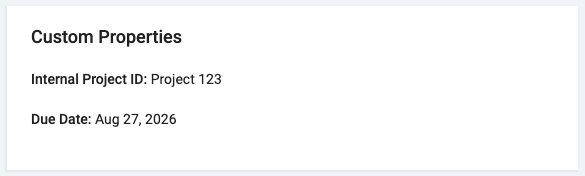
Customized properties are displayed on a project’s overview page:
They can also be edited like other project properties.
Property details
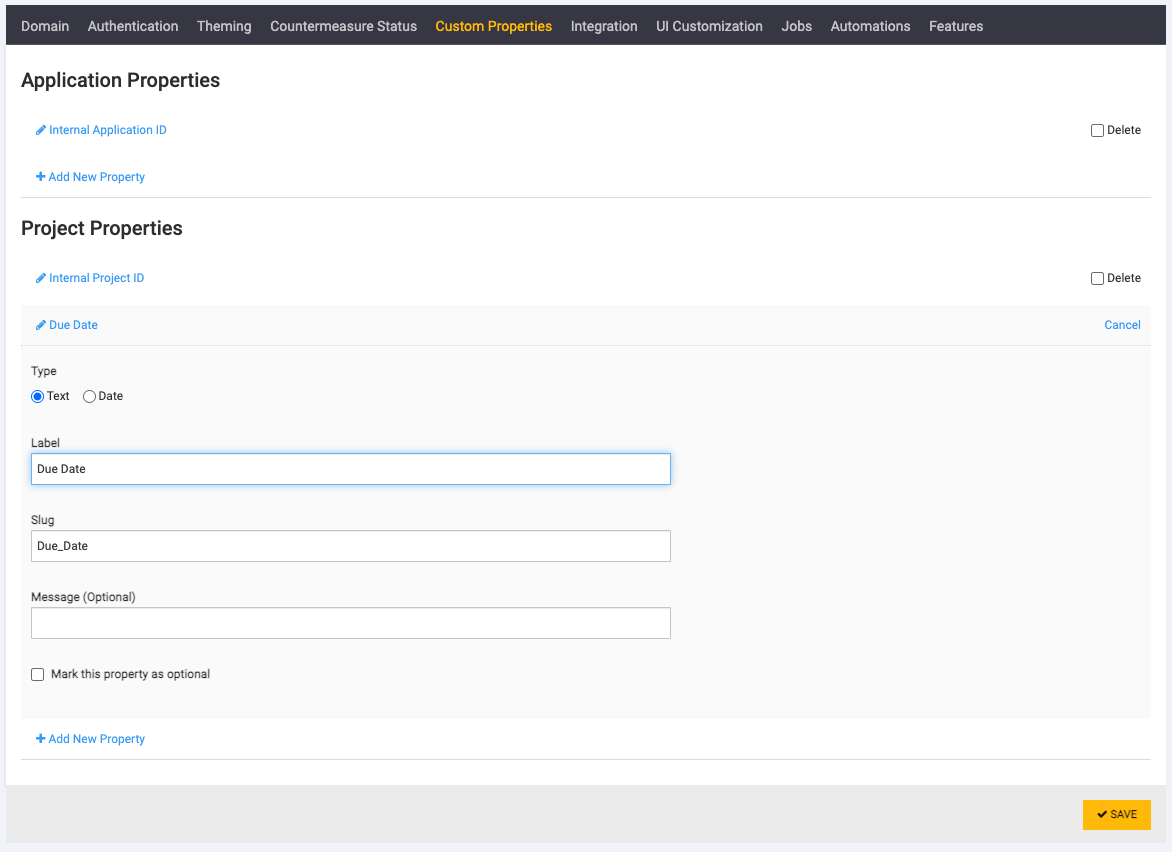
A custom project property has the following details:
-
Type: The text or Date.
-
Label: A human-readable label that is displayed in the Project Edit form.
-
Slug: A unique system-generated identifier.
-
Message: An optional help/explanation message that is displayed in the Project Edit form.
-
Mark this property as optional: This indicates whether or not this property is optional.
Add a project property
Create a new project property by following the steps below:
Prerequisites:
-
The user has the system Super User permission.
Steps:
-
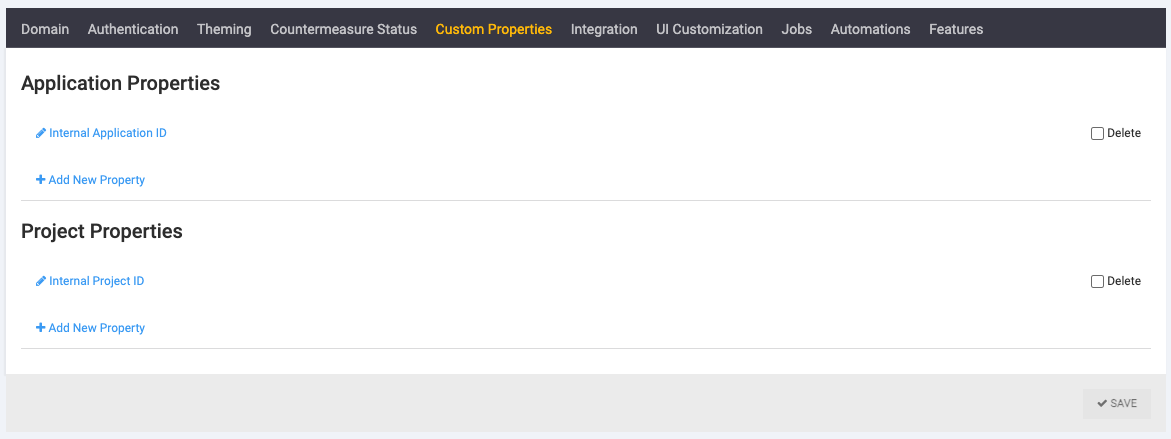
Click System→Custom Properties.
-
Click Add New Property.
-
Fill the details for the property.
-
Click Save.
The new property is now available in all projects.
Delete a project property
You can remove custom properties from the system. Follow the steps below to remove one or more properties from all projects:
Prerequisites:
-
The user has the system Super User permission.
Steps:
-
Click System→Custom Properties.
-
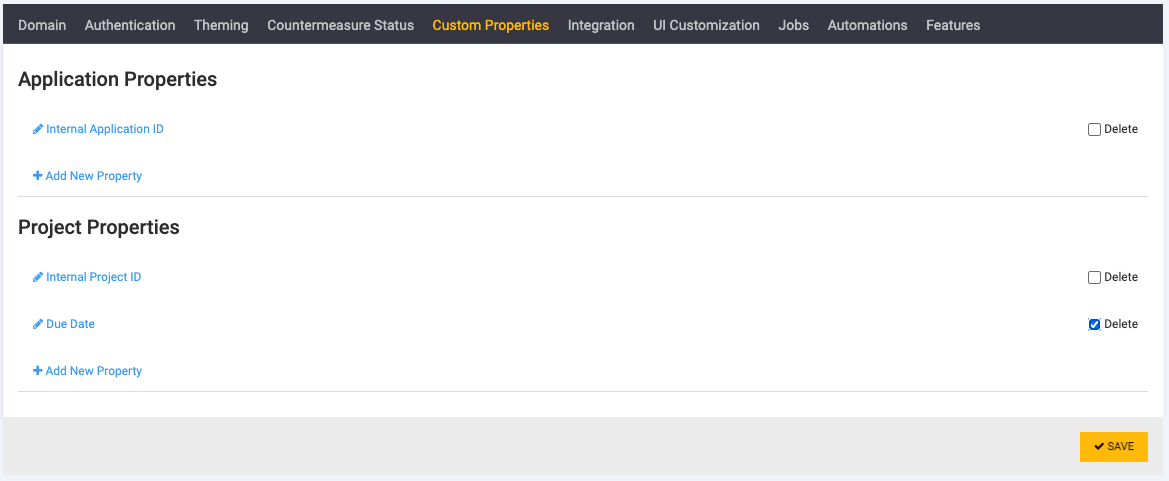
Select the Delete checkbox beside each property you want to remove.
-
Click Save.
This removes the property and its values from all projects in the system.
| Removing a property and its values is permanent. |
Reorder project properties
Project properties are displayed in the system according to their position in the System→Custom Properties list. Update their order by following the steps below:
Prerequisites:
-
The user has the system Super User permission.
Steps:
-
Click System→Custom Properties.
-
Click and drag the properties in the list to match the required order.
-
Click Save.
This updates the property list order for all projects.